

Overview
E-Sports Manager provides a comprehensive custom fields system that allows you to create, manage, and organize your custom fields. This powerful feature enables you to extend the default data model with organization-specific fields for members, teams, staff, and applicants.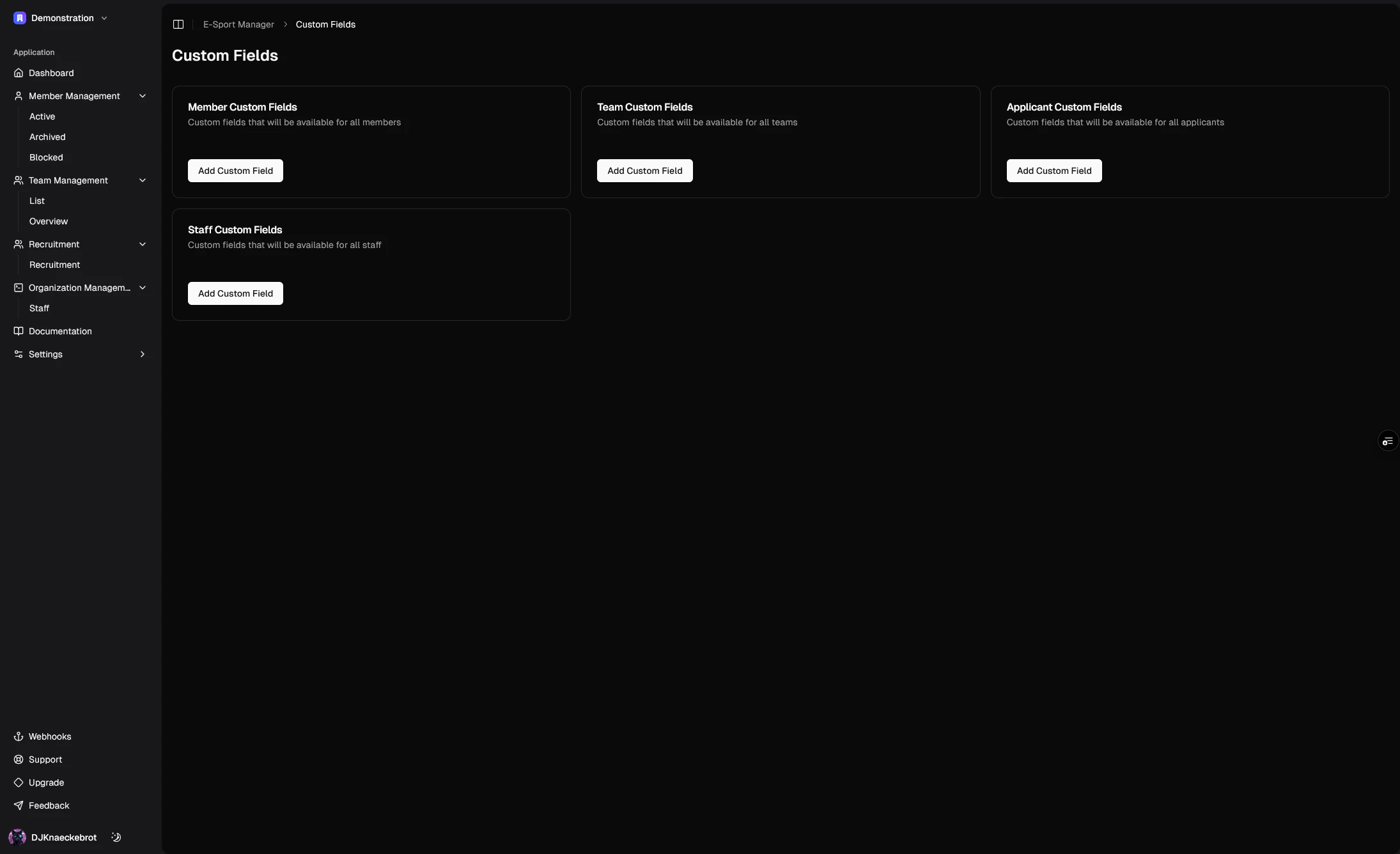
Key Features
Multi-Entity Support
Custom fields can be created and managed for different entities in your organization:- Members
- Teams
- Staff
- Applicants
Field Types
The system supports various field types to accommodate different data requirements:- Text: For general text input
- Number: For numerical values
- Date: For date selection
- Boolean: For yes/no or true/false values
Organization-Specific Configuration
Each organization can define its own set of custom fields, ensuring that the data collection process aligns with your specific needs and workflows.How to Use
Managing Custom Fields
- Navigate to Settings -> Custom Fields
- Select the entity type you want to add custom fields to (Members, Teams, Staff, or Applicants)
- Click “Add Custom Field” to create a new field
- Configure the field:
- Enter a descriptive name
- Select the appropriate field type
- Save the field
Using Custom Fields in Forms
Custom fields automatically appear in the relevant forms:- When adding new members, teams, staff, or applicants
- When editing existing entries
- In the data tables where the information is displayed (not shown by default, but can be shown by clicking the “View” button)
Best Practices
- Use clear, descriptive names for your custom fields
- Choose the most appropriate field type for your data
- Keep the number of custom fields manageable to maintain form usability
- Regularly review and clean up unused custom fields
Technical Details
Data Storage
Custom fields are stored in a structured format in the database, allowing for:- Efficient querying
- Easy data export
- Flexible data organization
Form Integration
The custom fields system is fully integrated with the form system, providing:- Dynamic form generation
- Automatic validation
- Seamless data handling
- Real-time updates
API Integration
Custom fields are accessible through the API, enabling:- Programmatic access to custom field data
- Integration with external systems
- Automated data processing
Limitations and Considerations
Subscription Tiers
Custom fields availability may vary based on your subscription tier:- Free tier: Limited number of custom fields
- Pro tier: Increased custom field capacity
- Enterprise tier: Full custom fields functionality
Performance
While custom fields are powerful, consider:- The impact on form load times
- Database query performance
- Data export and import operations
Examples
Common Use Cases
-
Member Management:
- Player roles
- Skill ratings
- Availability status
- Preferred positions
-
Team Management:
- Team categories
- Competition levels
- Practice schedules
- Team achievements
-
Staff Management:
- Role assignments
- Department information
- Specializations
- Contact preferences
-
Applicant Management:
- Experience levels
- Preferred roles
- Availability
- Previous teams
Support
Need help with custom fields? Our support team is here to assist you with:- Setting up custom fields
- Troubleshooting issues
- Best practices
- Integration questions